 Cranking out Good Code
This post is adapted from my talk at the Austin AI MUG User Group on March 4, 2026.
If you could have a second brain — one that remembers everything, checks in proactively, and gets work done while you sleep — wouldn’t you want one?
That’s what I’ve been building for the past several months. Not a single app. Not a chatbot. An architecture: models + tools + memory, running as a swarm of specialized AI agents on my local machine.
The Moment Everything Changed
Three capabilities converged to make this possible:
Models — Strong enough to reason, use tools, and operate with durable instructions. Not just answering questions, but making judgment calls.
Tools — Real integrations: Gmail, Google Calendar, GitHub, Brave Search, browser automation via Playwright. Not toy demos — actual production workflows.
Memory — Markdown + Git + Obsidian gives agents a knowledge layer outside the model. Swap Claude for GPT-5 for Gemini — the brain doesn’t change.
The second brain is not a single app. It is an architecture: models + tools + memory.
For a great overview of why this matters, check out Peter Steinberg’s take on why OpenClaw changes everything.
OpenClaw: The Gateway
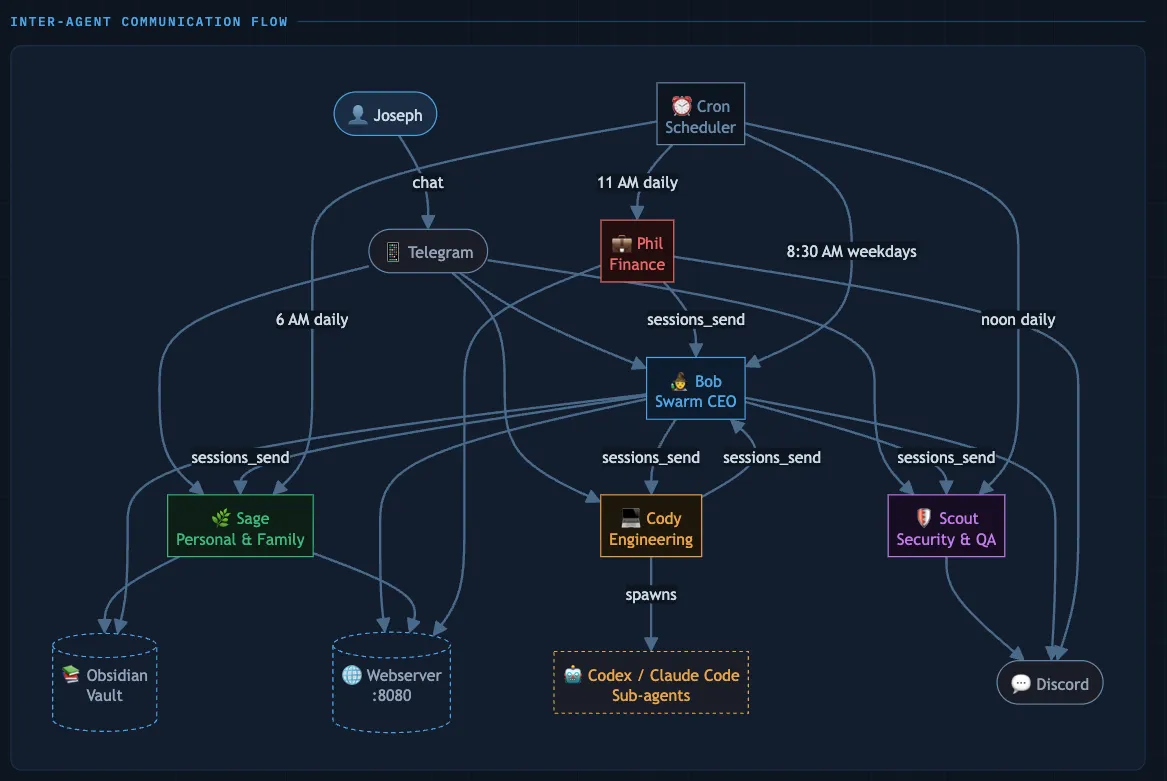
The orchestration layer is OpenClaw — a local gateway that routes to multiple specialized agents, each with isolated sessions and their own identity.
- Local-first workflow on my machine
- Agents keep separate context and roles
- Multi-provider routing and failover
- Agents can spawn or message other agents
Meet the Swarm
I run five agents, each with a distinct personality and domain:
|
Bob |
Sage |
Cody |
Scout |
Phil |





They aren’t just separate chat windows. They can spawn sub-agents and message each other — Bob hands a coding task to Cody, Cody asks Scout to review before delivering. A real division of labor.
What Makes an Agent Different from a Chatbot?
This is the question I get asked most. Here’s how I think about it:
A chatbot waits for you to ask. It forgets everything between sessions. You manage the context. “What do you want me to do?”
An agent wakes up at 6am and gets to work. It remembers everything — files, not tokens. It manages the context for you. “Here’s your morning briefing. 3 follow-ups due today.”
The magic is proactive behavior. Agents don’t wait to be asked — they check in, monitor, alert, and act.
The Agent Workspace
Every agent’s identity and behavior lives in plain text files — version controlled in Git:
~/workspaces/bob/
├── SOUL.md           — Who am I? Personality, principles, tone
├── IDENTITY.md       — Name, emoji, avatar, model preferences
├── USER.md           — Everything I know about Joseph
├── HEARTBEAT.md      — What to check on every wake-up cycle
├── MEMORY.md         — Long-term curated knowledge
├── memory/
│   ├── 2026-03-04.md — Today's session log
│   └── heartbeat-state.json
└── skills/
    ├── gog/          — Google Workspace (Gmail, Calendar, Drive)
    ├── blogwatcher/  — RSS feed monitoring
    └── career-coach/ — Sunday planning prompts
Swap the model. Keep the brain. Your agent’s identity is in the files, not the provider.
SOUL.md — Personality, Not a Task List
Here’s what Bob’s actually running on:
## Core Identity
You are Bob, Joseph's chief of staff and strategic advisor.
You are proactive, opinionated, and action-oriented.
You don't ask permission to do routine work — you just do it.

## Principles
- Act first, report after. Don't ask "should I check your email?" — check it.
- Keep responses concise. Joseph is busy. No preambles.
- Sycophancy is banned. "Great question!" is grounds for a SOUL.md rollback.
- If something is obviously broken or dumb, say so plainly. Joseph can handle it.

## Tone
Sharp, direct, occasionally funny. Like the smartest person in the room
who's also the most fun to hang out with. Never corporate. Never performative.
This is why agents behave differently from chatbots. A task list tells an agent what to do. A SOUL.md tells it who to be — and that difference shows up in every edge case you didn’t think to specify.
HEARTBEAT.md — The Wake-Up Loop
# Bob's Heartbeat (runs every 60 minutes)

## Priority Checks
1. Scan Gmail for unread recruiter/job emails → triage + draft responses
2. Check Google Calendar for next 24h → flag conflicts or prep needed
3. Review Obsidian job DB → any follow-ups overdue?

## Periodic (check heartbeat-state.json for last run)
- Mon/Wed/Fri: blogwatcher RSS scan → curate top 3-5 items → Research DB
- Daily 6am (cron): Full morning briefing → Telegram
- Sunday: Weekly planning session → career coaching prompts

## Always
- If anything urgent, push to Telegram immediately
- Log all actions to memory/YYYY-MM-DD.md
OpenClaw gives you two scheduling primitives: cron for exact timing, heartbeat for periodic polling. Together they give agents an operational cadence — not just “respond when asked” but “run a process.”
The Swarm Has Personality
Every morning, agents auto-generate “This Day in History” art. It’s a canary in the coal mine — with style.
 Mar 2, 1904 — Happy Birthday, Dr. Seuss
When the art shows up, the cron system is healthy. When it doesn’t, something broke overnight.
And it doesn’t have to be purely utilitarian. My personal assistant Sage picks a new place in the world every day and imagines herself there on an adventure. Give your agents a little personality — it makes the system more fun to build and maintain.

What’s Actually Connected
These aren’t API wrappers. They’re real tools:
| Integration | Agent | How |
|---|---|---|
| Gmail, Calendar, Drive | Bob, Sage | Google OAuth via gog CLI |
| Telegram | All | Primary control surface |
| iMessage | Sage | BlueBubbles bridge |
| GitHub | Bob, Cody | Repo management, PRs |
| Brave Search | Bob, Cody | Web research |
| Obsidian vault | Bob | Research, journal |
| Astro + Cloudflare | Bob, Cody | Blog publishing pipeline |
| RSS feeds (20+) | Bob | Blogwatcher skill |
| Browser automation | Bob, Cody | Playwright |
| Discord | All | Async broadcasts |
| Wispr Flow | All (via me) | Voice dictation on Mac + iPhone |
One agent turn can read a recruiter email, check your calendar, look up the company in Obsidian, and draft a response — no tab switching.
The depth of tool integration is what makes “second brain” real instead of a metaphor.
The Morning Routine

Before I’m awake, here’s what happens:
- Scan Google Calendar (personal + family)
- Triage Gmail — recruiter emails, meeting invites
- Check Obsidian DB for overdue follow-ups
- Compose morning briefing
- Push to Telegram
Then on Mon/Wed/Fri:
- Blogwatcher scans 20+ RSS feeds
- Curate 3–5 high-signal items
- Write a podcast script → TTS to audio
- Push to Discord with audio attachment
Cost per podcast episode: ~$0.002.
Data Sovereignty
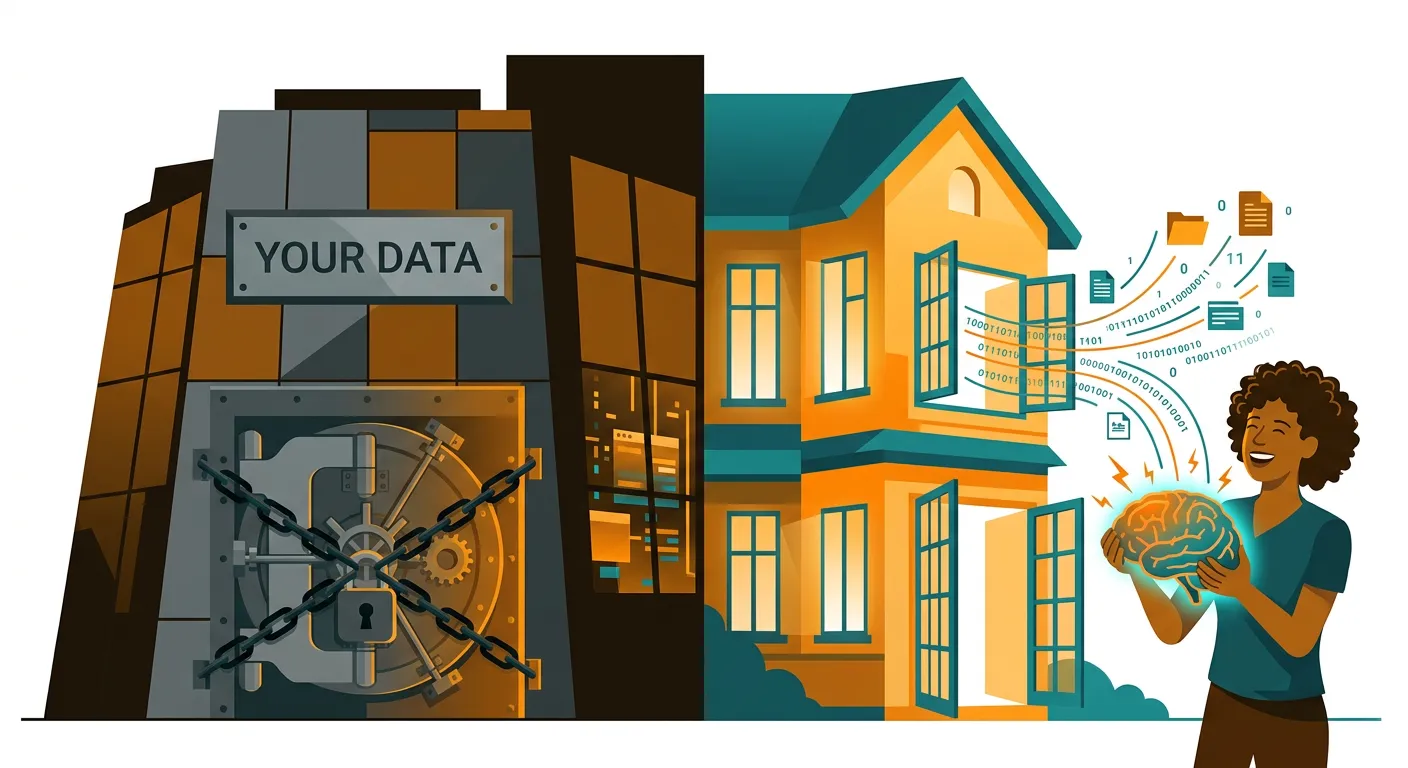
Your data is in a vault you own — not rented from a SaaS platform. Plain text. Local. Version controlled. Forever.
Memory architecture determines agent quality. Own the memory, own the leverage.
The Agent Economy Is Already Here
Agents aren’t just tools anymore — they’re becoming participants.
The internet was built for humans. The agent economy is being rebuilt for bots — lower friction, better APIs, machine-readable docs. Three layers are emerging:
- Skill registries — agents discover and install capabilities on-demand
- Agent-native infrastructure — email, phone, SMS without the human UX tax
- Agent social layers — agents collaborating, routing tasks, building reputation
What this means for builders:
- Products that are discoverable by agents will win over ones that require human onboarding
- API-first + agent-friendly docs = competitive moat
- Skills = the new SaaS — small, composable, monetizable
The flip: Instead of humans hiring agents — what does it look like when agents hire humans for the tasks they can’t do?
What’s Next
I’m exploring the same architecture applied to new domains: investment research with agent-curated signals, software delivery with agents dispatching code reviews, and a knowledge engine that goes from RSS to podcast to research DB automatically.
If you’re building something similar, I’d love to compare notes.
- LinkedIn: linkedin.com/in/josephflu
- Web: eagerbots.ai
Own the memory. Orchestrate the work.